Winning the lottery is exciting, and with TuLotero, cashing out your prize is simpler and safer than ever. You will be able to withdraw lottery winnings and get notifications easily. The app offers a seamless withdrawal process and smart notifications to make sure you always stay informed—whether it’s about a purchase, a draw result, or a prize waiting for you.
How to Withdraw Your Winnings from TuLotero
- Check Your Balance
Start by opening the Balance section in the app. Here you’ll see the exact amount available for withdrawal. - Add Your Bank Account
Select your bank from the list. TuLotero will redirect you to your bank’s secure login page so you can sign in, authorize the connection, and confirm your account details. - Confirm the Withdrawal
Enter the amount you want to transfer to your bank account and confirm the request. TuLotero processes all withdrawals securely and will notify you once your transfer is approved. - Receive Your Funds
The transfer times vary depending on your bank, but they usually take a few business days. As soon as the funds are deposited, you’ll receive a confirmation.
With these simple steps, claiming your winnings has never been more convenient.
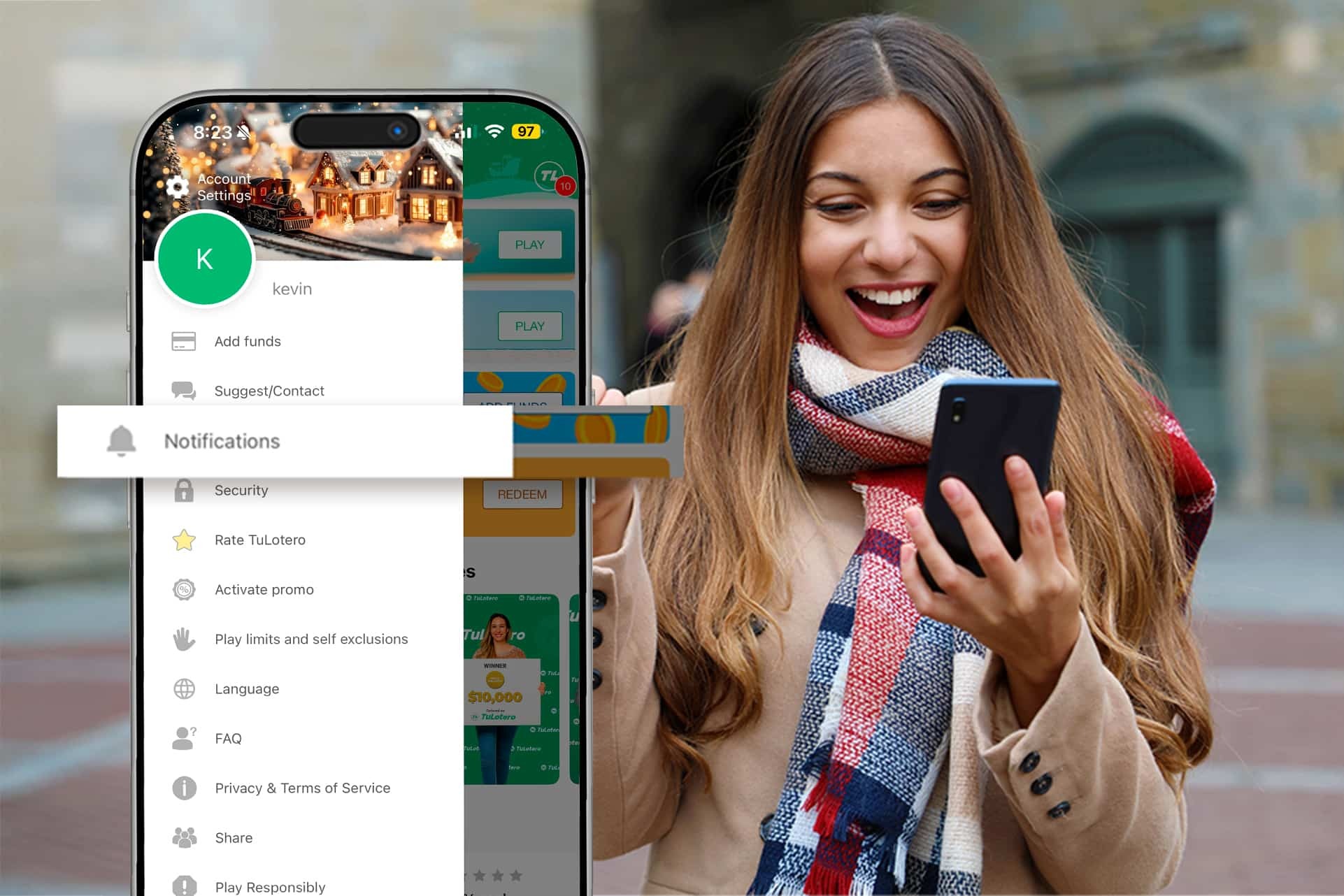
Turn On Notifications
Imagine winning a prize and finding out days later. It happens more often than you think. To prevent this, TuLotero lets you enable instant notifications so you stay up to date without having to check manually.
Here’s what you’ll receive when notifications are enabled:
- Instant draw results sent right after each draw.
- Prize alerts that inform you immediately when you win.
- Reminders to play your favorite lotteries so you never miss a draw.
- Special updates about big jackpots, special draws, or new features.
- Purchase confirmations every time you buy a ticket.
How to Activate Notifications
- Open the TuLotero app.
- Tap the menu icon (the three white lines).
- Go to the Notifications section.
- Choose which alerts you want on your phone or email.
- Make sure your device settings allow notifications from TuLotero.
Pro tip: System updates can sometimes reset app permissions, so it’s a good idea to review your settings every now and then.
Stay Ready for Your Winning Moment
TuLotero has helped countless players discover their prizes on the same day—thanks to a simple notification. Whether you’re withdrawing your winnings or staying informed about upcoming draws, the app keeps your lottery experience smooth, secure, and stress-free. It also provides you the easiest way to withdraw lottery winnings and get notifications.
Play, stay informed, and enjoy every moment with TuLotero.
Related posts
You might also like…











Get the best Lottery App!
And join thousands of users who already enjoy the advantages of being able to get lottery from anywhere.